It's important to create TrueChecks alerts to protect your organization and others from check fraud. TrueChecks alerts can created by anyone with the TrueChecks Alert Admin or Batch Alert Admin user role. TrueChecks alerts can be marked as public or private. A public alert requires approval by Advanced Fraud Solutions, and will be available to all TrueChecks customers. A private alert is designed to be internal, requires no approval by AFS, and is only available to the organization that submitted the alert.
Both public and private alerts are instantly available to the organization that submitted the alert, but a public alert will not be available to all TrueChecks customers until it has been approved by Advanced Fraud Solutions. TrueChecks alert approval normally takes 24 hours or less.
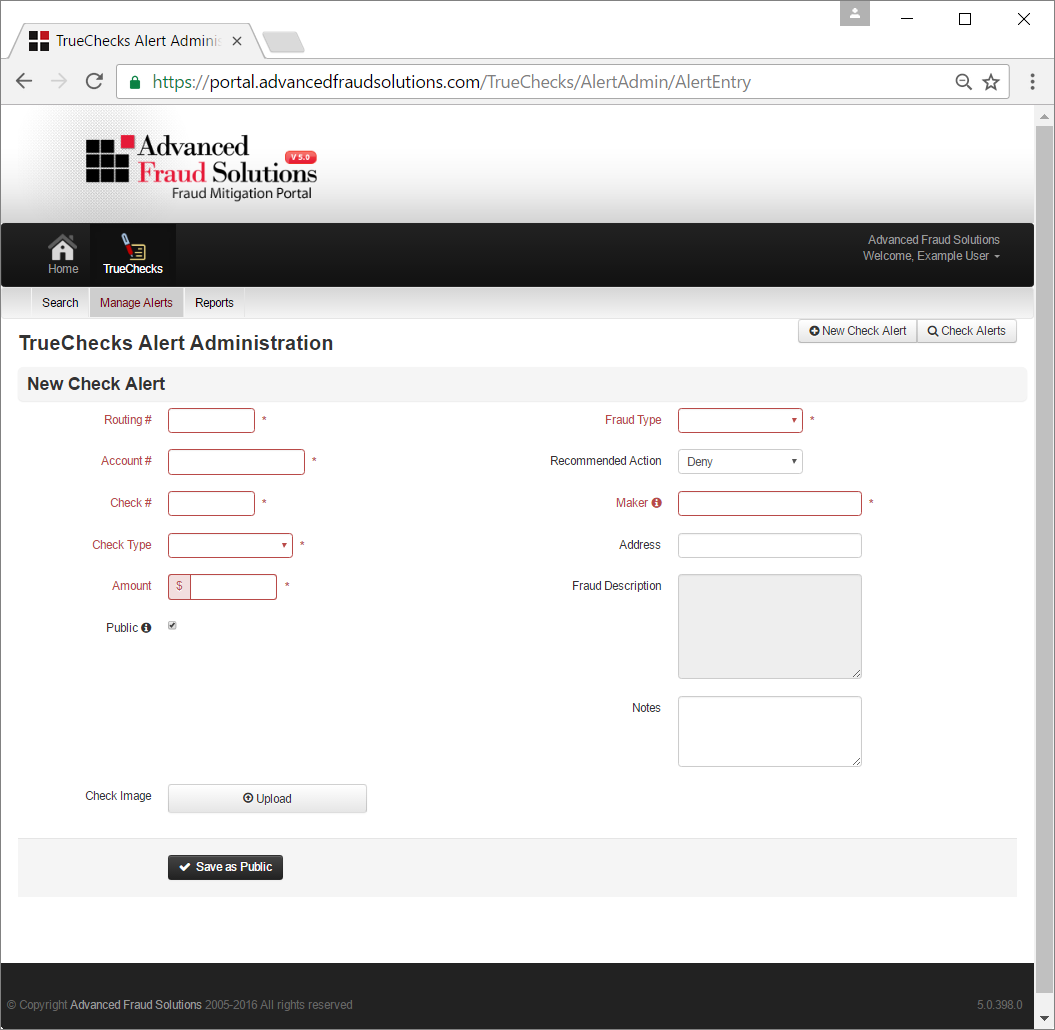
You can create a new TrueChecks alert by selecting TrueChecks > Manage Alerts > New Check Alert.
Required fields include: Routing Number, Account Number, Check Number, Check Type, Amount, Fraud Type (Return Reason), Recommended Action, Fraud Description, and Maker.
Optional fields include: Address, Notes, and Check Image.
To create a new alert, just complete the fields, upload an image (optional) and click Save.
Comments
0 comments
Article is closed for comments.