We’ve created an interactive, step-by-step guide to help you add alerts to the TrueChecks database. You can click Get Started to experience exactly how it works in real time.
📕 Prefer to read instead? Keep scrolling for the full tutorial with screenshots and explanations.
How to add an alert to the TrueChecks database
Before you begin, please note that you must have the TrueChecksAlertAdmin role assigned to you.
To add an alert to the TrueChecks database, click on "Manage Alerts".
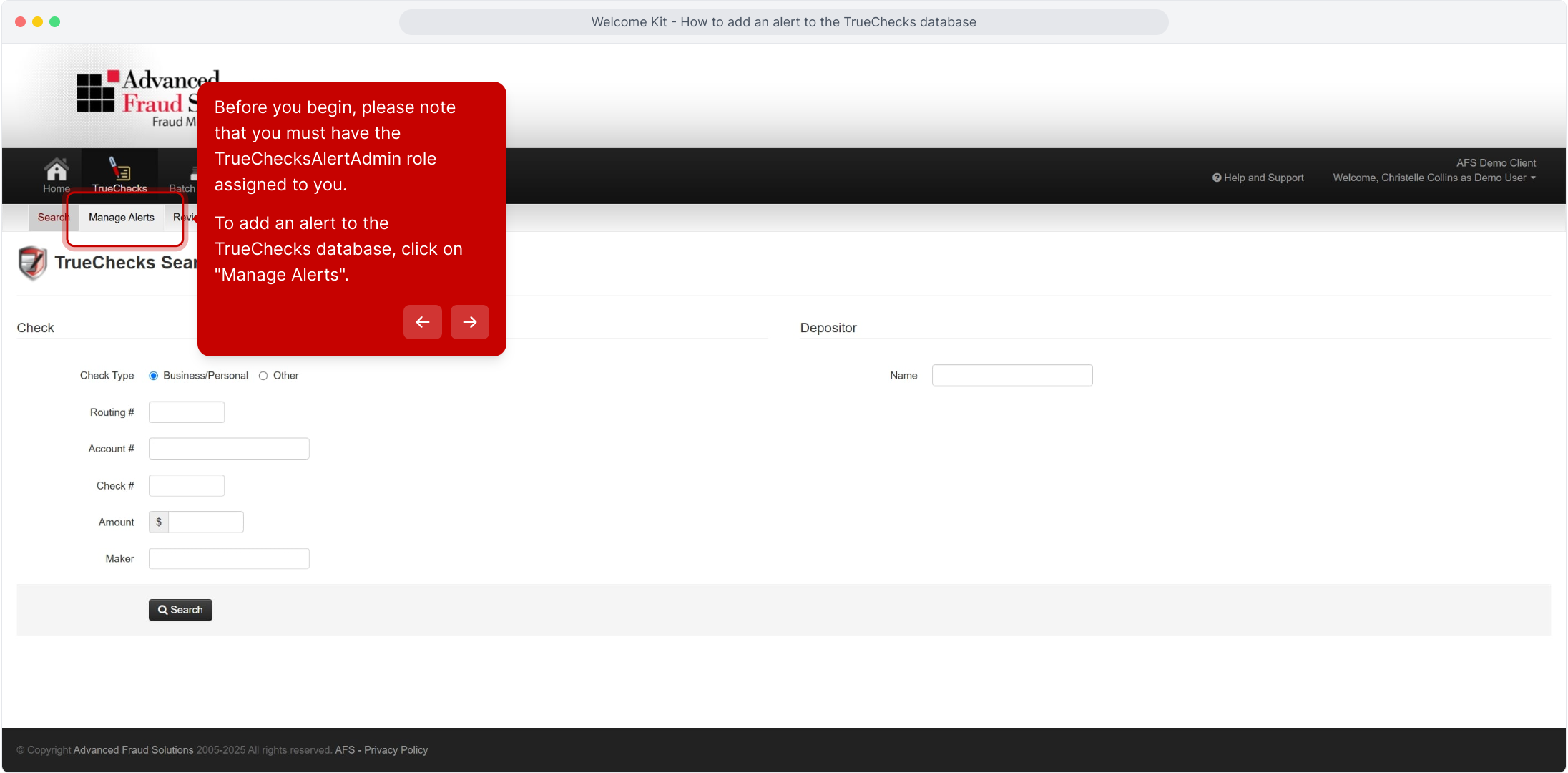
Click on "New Check Alert".
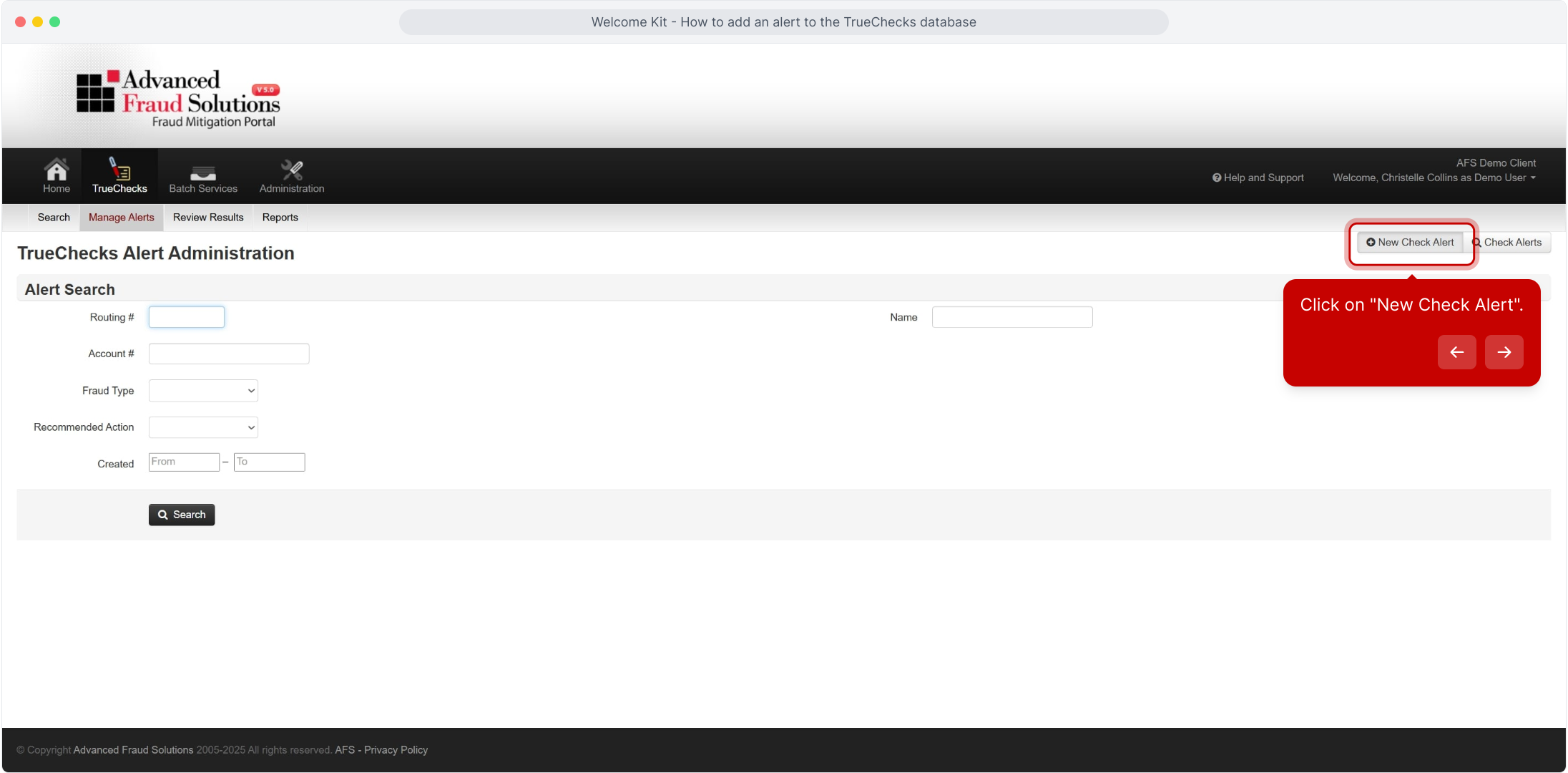
Once you are in the new check alert section, you can easily see what's a required field since these are highlighted in red.
If you have a check image to upload, please feel free to do this otherwise you can still create an alert without an image.
⚠️ Remember, every alert goes through AFS approval. So if you happen to overlook blurring any PII information, don’t worry, An AFS engineer will take care of it for you.
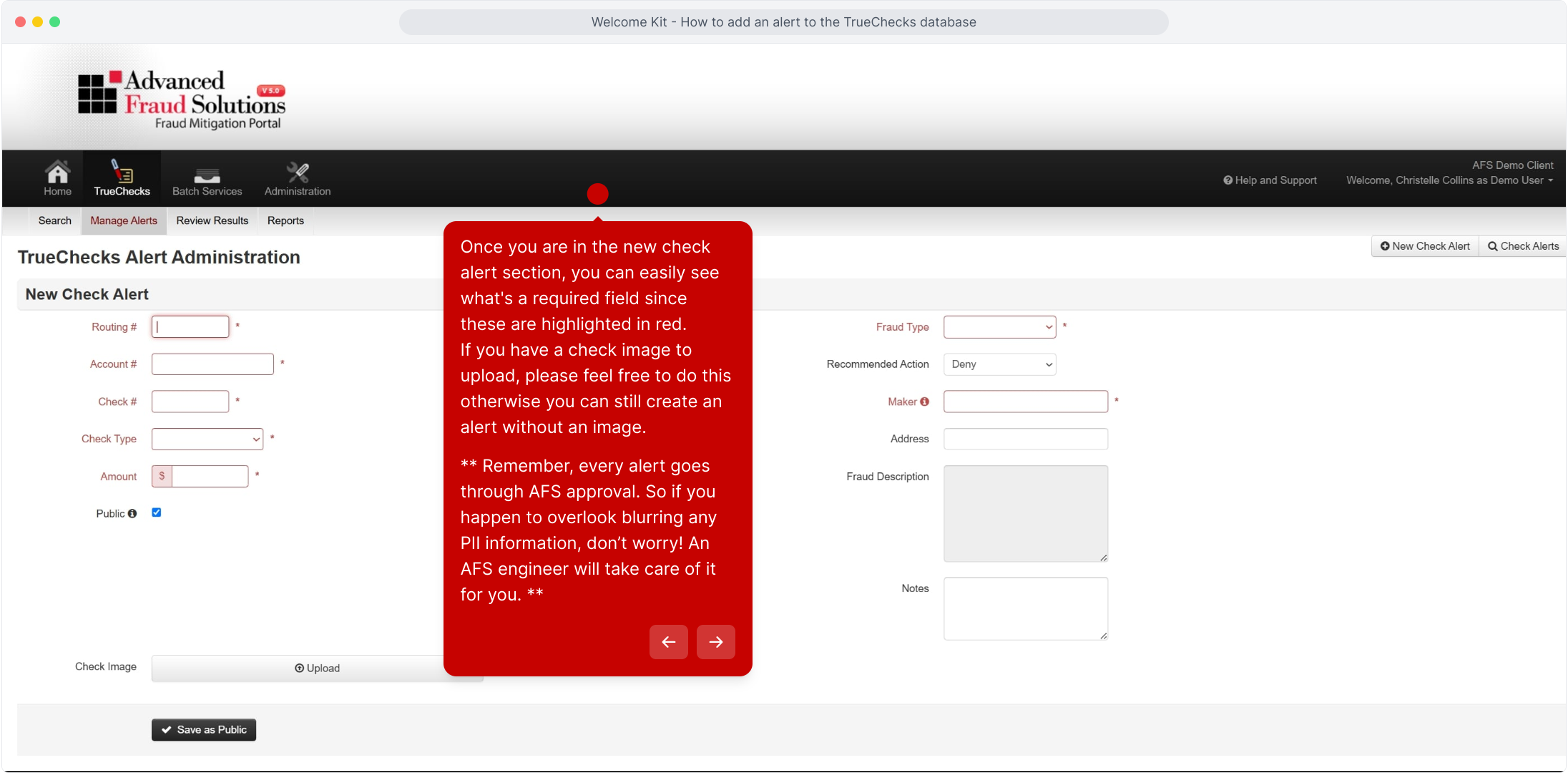
When you reach the check type selection, you'll find several options available.
Please choose the option that best matches the check you are alerting.
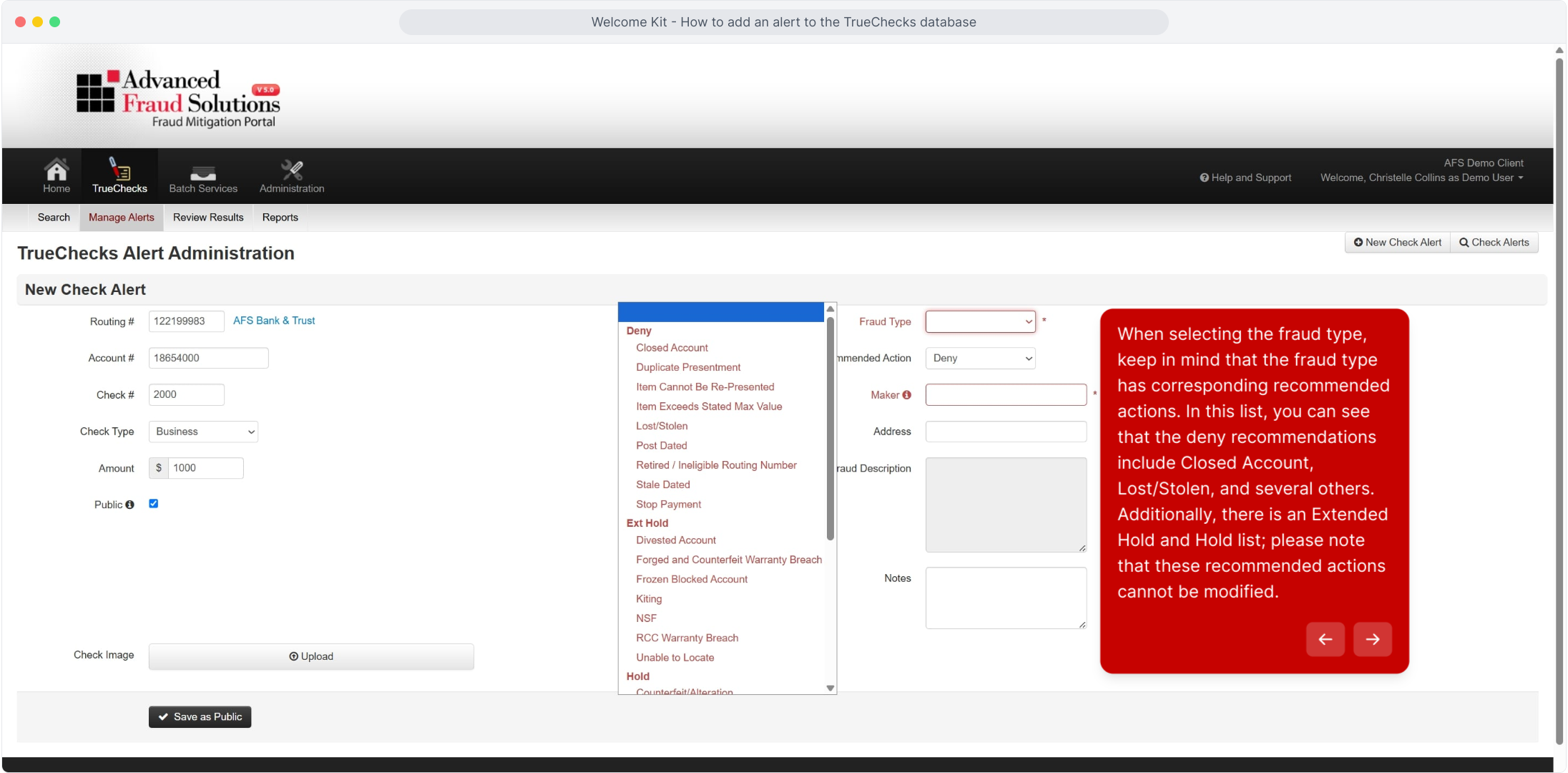
When selecting the fraud type, keep in mind that the fraud type has corresponding recommended actions. In this list, you can see that the deny recommendations include Closed Account, Lost/Stolen, and several others.
Additionally, there is an Extended Hold and Hold list; please note that these recommended actions cannot be modified.
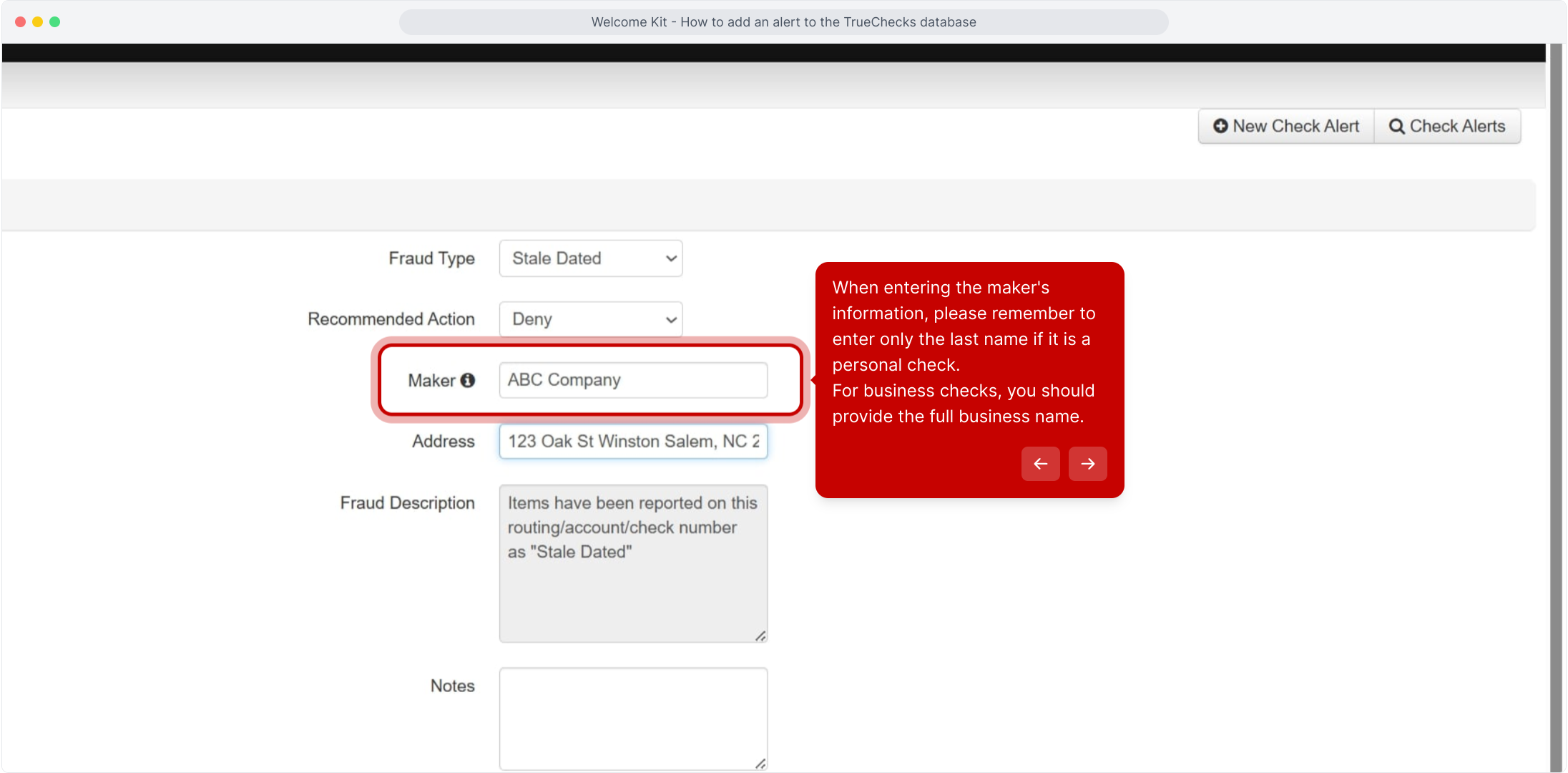
When entering the maker's information, please remember to enter only the last name if it is a personal check.
For business checks, you should provide the full business name.
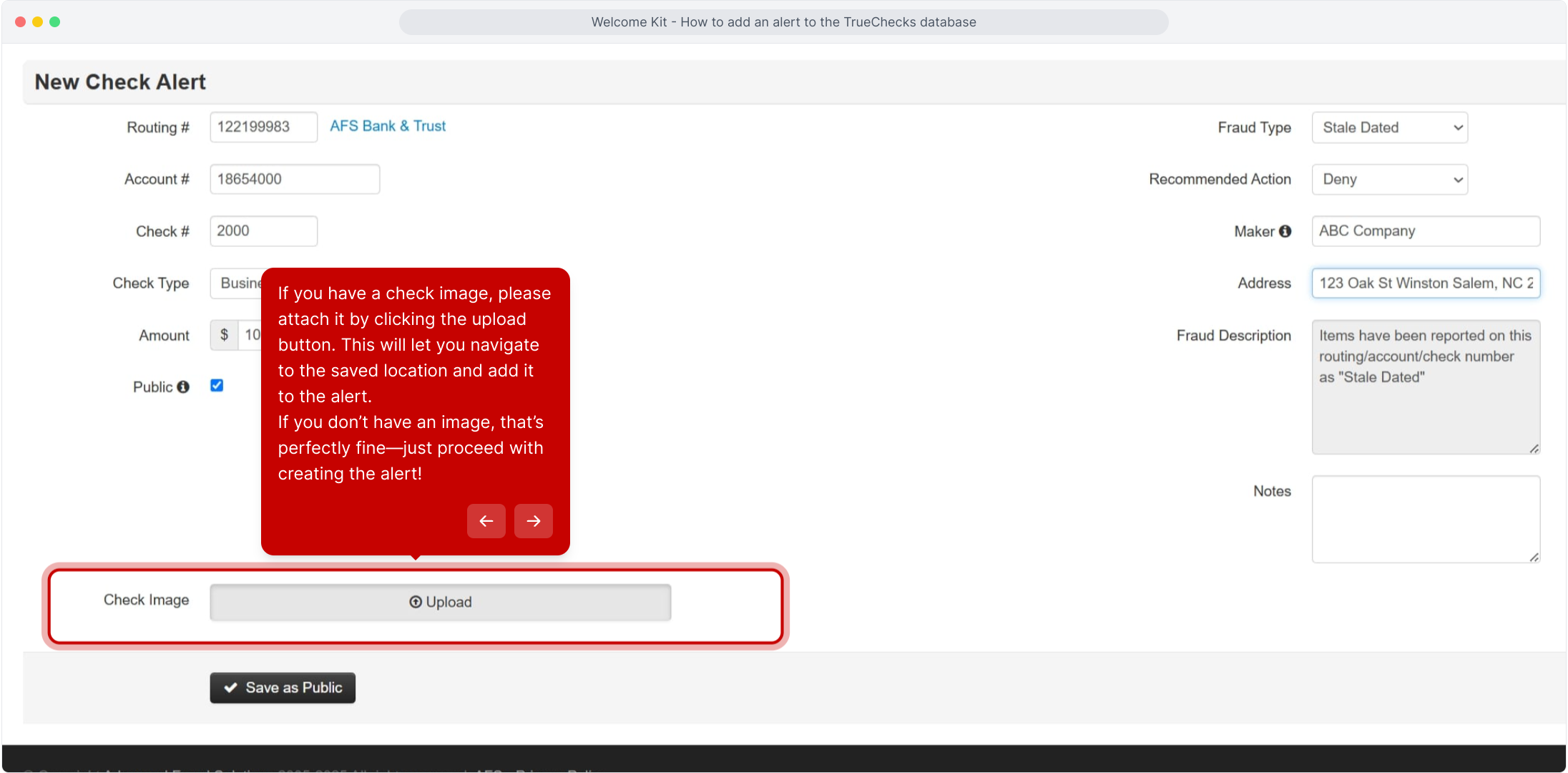
If you have a check image, please attach it by clicking the upload button. This will let you navigate to the saved location and add it to the alert.
If you don’t have an image, that’s perfectly fine—just proceed with creating the alert.
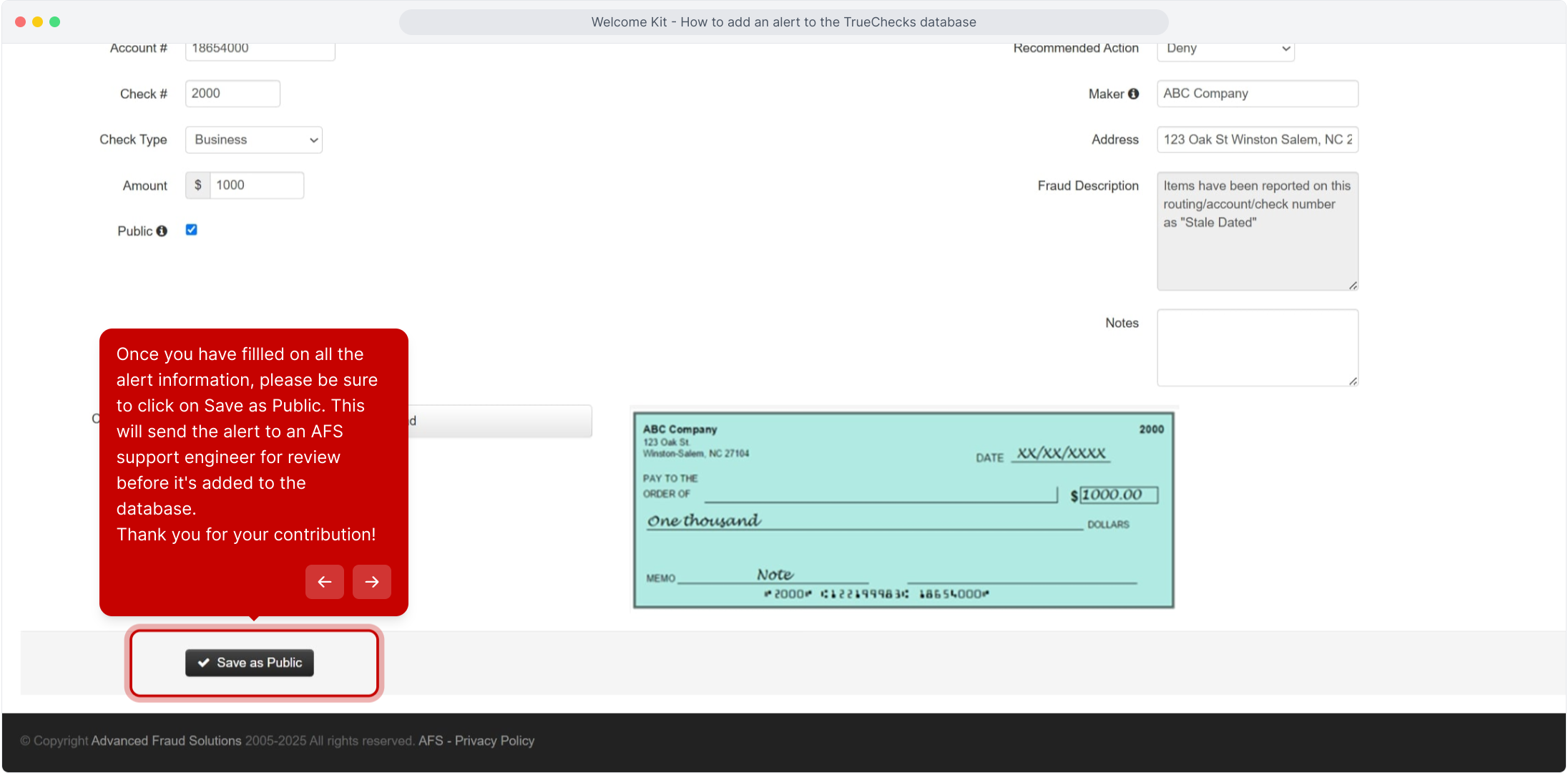
Once you have fillled on all the alert information, please be sure to click on Save as Public. This will send the alert to an AFS support engineer for review before it's added to the database. Thank you for your contribution.
Comments
0 comments
Article is closed for comments.