Every TrueChecks user has a user profile containing their personal information.
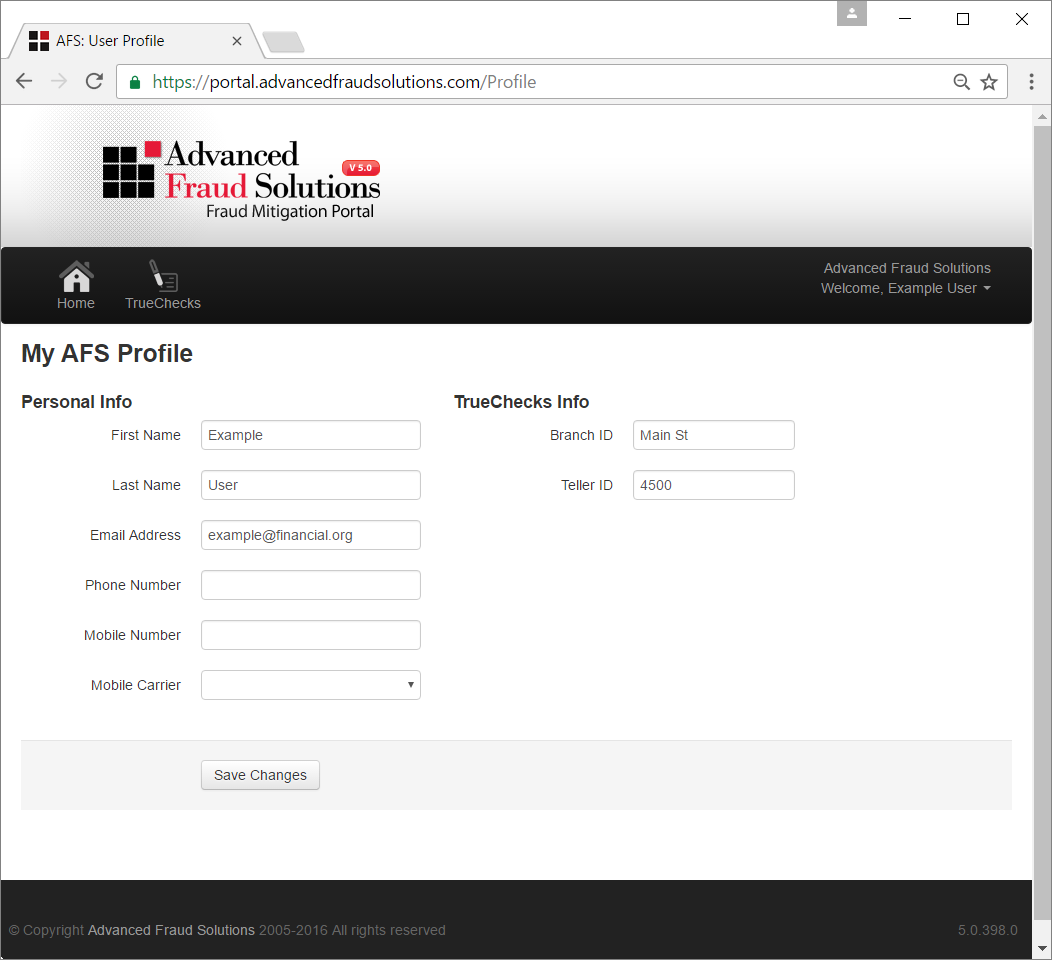
To access your TrueChecks user profile, head over to the right side of your screen and click the arrow next to your name. Then, select Profile.
The following information is stored in your TrueChecks user profile:
| User Profile Field | Required? |
| First Name | Yes |
| Last Name | Yes |
| Email Address | Yes |
| Phone Number | No |
| Mobile Number | No |
| Mobile Carrier | No |
| Branch ID | Yes |
| Teller ID | Yes |
The Branch ID and Teller ID are used for reporting purposes in TrueChecks. Both Branch and Teller IDs can be words (like Main St) or numeric values (like 450). For accuracy purposes, it is important to keep your Branch ID and Teller ID up to date at all times. Anytime you work at a different branch or location, we advise you to update your Branch and Teller ID to reflect the correct information.
To update your Branch and Teller IDs, simply go into your user profile, update the correct information, and click Save Changes.
Comments
0 comments
Please sign in to leave a comment.