There are multiple reports in TrueChecks that you have access to. One of these reports being the Frontline Activity Summary report. This report allows you to see a full breakdown of all the activity taking place at each of your branches (this is why it's important to have your Branch ID correct). Beyond just the query count, you can see the breakdown of the actions taken and the recommended actions given.
To run the Frontline Activity Summary report, simply click on TrueChecks > Reports > Frontline Activity Summary.
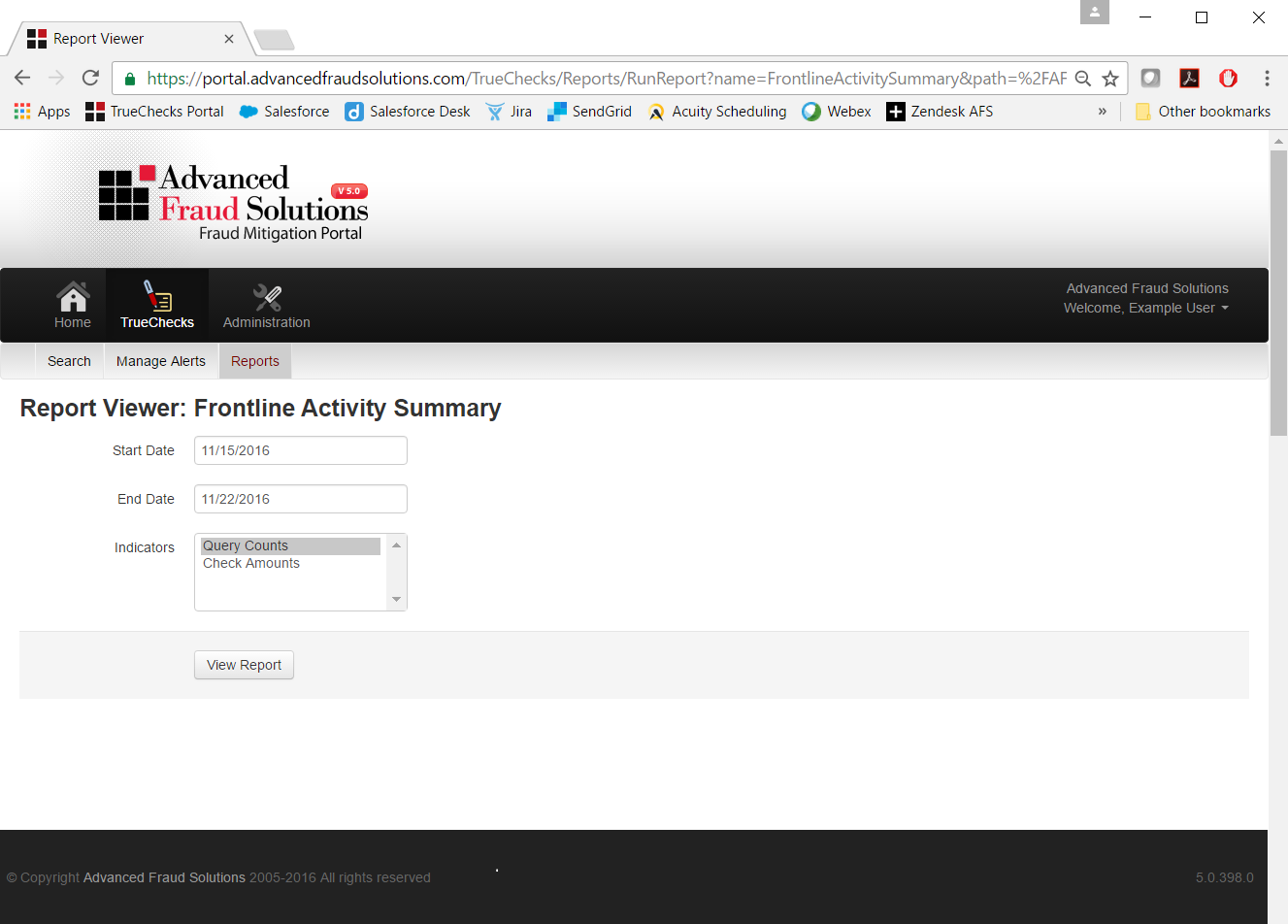
From this page, you have the luxury of choosing your Start Date and End Date for the search count you would like to review. For the Indicators field, make sure that Query Counts is clicked and click View Report. You can also click on Check Amounts to see the dollar figures that go along with the different queries. **For best results, highlight both Query counts and Amounts.
When the report has finished running, you will see a report that consists of all branches and their Query counts. Along with the query counts, you will see the report breaks down the Actions Taken as well as the Recommendation. If you added the Check Amounts to the report, you will see the dollar amounts as well.
To organize the report by lowest queries on top, simply click the arrows next to queries, and if you want the highest queries on top, simply click those arrows again. With this report, you also have the ability to see how many queries each teller has conducted. Just click on the (+) next to the branch and you will see each teller and the number breakdown.
With this report, you also have the ability to click on a specific tellers name and it will bring you to that tellers Frontline Activity Details report. There you can see all of their searches and all of the check details.
** If you do not see the actions taken, this could be because this information is not sent back to AFS. Please reach out to AFS Support and we'll be happy to work with you on the Action Taken file. This will allow you to run all AFS reports and see all teller actions.
Just like all reports in TrueChecks, if you click on the Floppy Disc you have access to export the report for editing and you can click on the printer button to print.
Comments
0 comments
Please sign in to leave a comment.